

Manage earning information
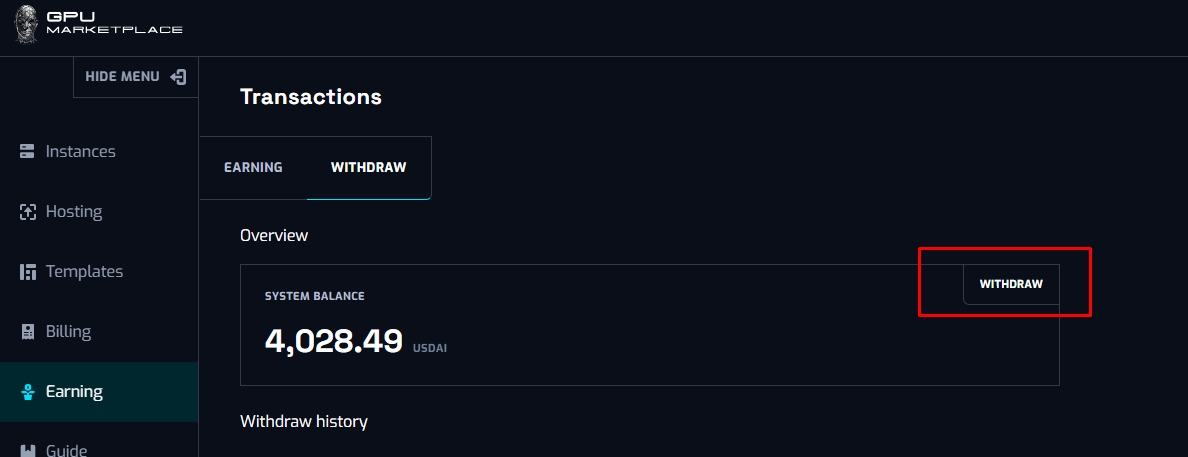
The Withdraw tab will display current earnings for the owner that can be claimed
Step 1: Navigate to Earning on sidebar, click Withdraw
Step 2:
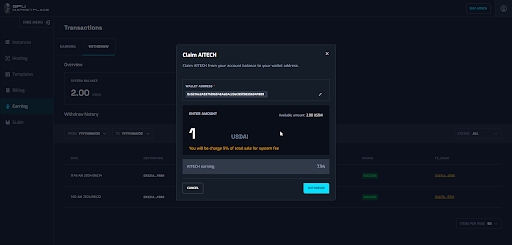
- Owner pastes in their BSC wallet address or using connect wallet address to receive AITECH
- Enter in the amount they wish to withdraw (USDAI = USDT)
- For each withdraw, the system will charge a set % (set by admin) of the entered amount for fees
- Click Withdraw once ready
- Wait for network to process transaction
- Owner also receive a receipt in their email